
Prerequisites
- An active agency account with access to the dashboard
Creating your activation
1
Navigate to the Activations page
From your agency dashboard, click Activations in the sidebar. You’ll see a list of all your current activations with their status (Draft, Published, Completed). Click the New Activation button in the top-right corner.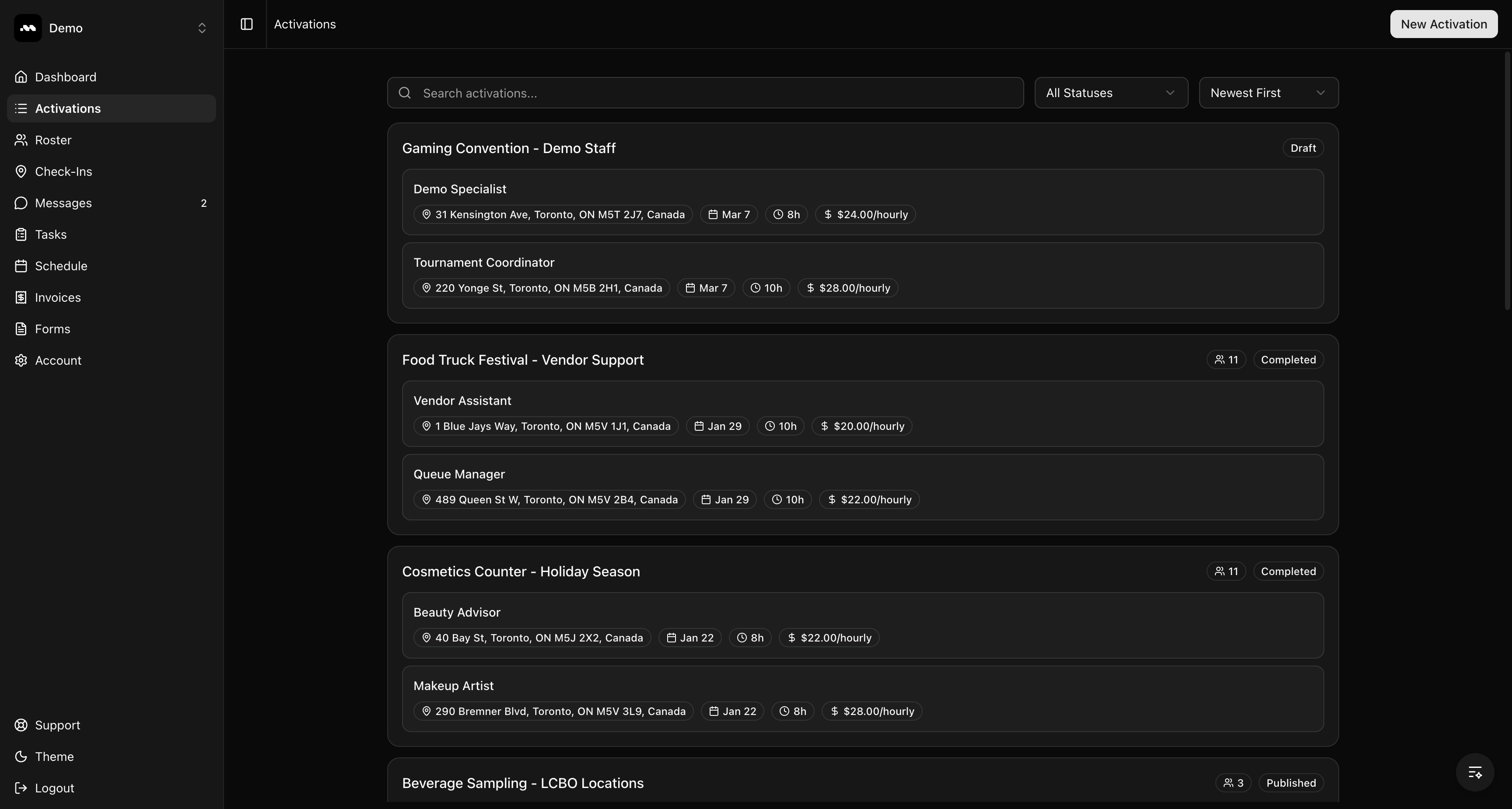
2
Quick Create with AI (optional)
When the page loads, a Quick Create with AI dialog appears. You can paste activation details (like a job description from an email or document) and click Auto-fill with AI to automatically extract the title, description, and shift details.If you prefer to fill in the form manually, click Skip.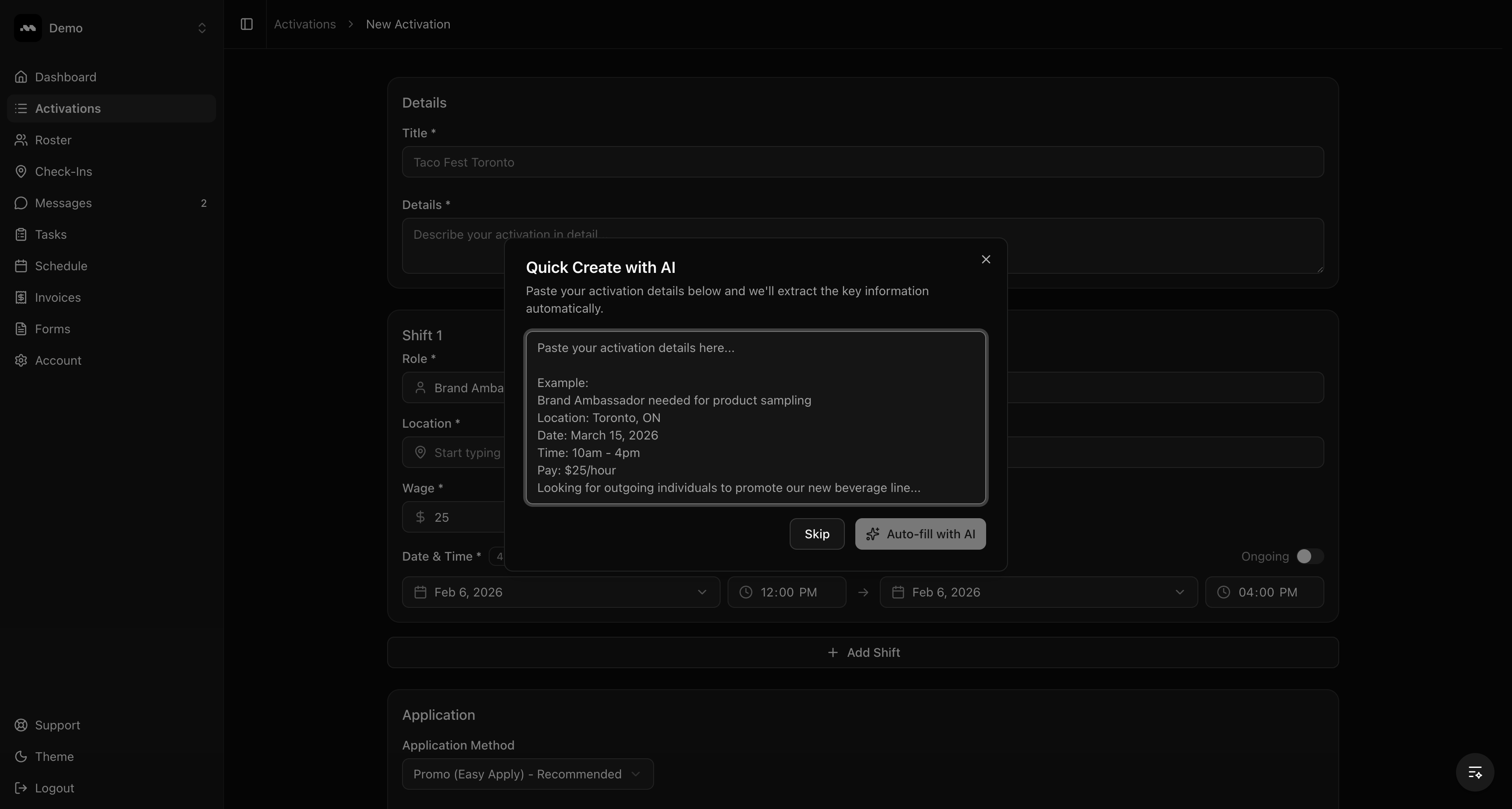
3
Fill in the activation details
Enter a Title for your activation and a detailed Description. The title is what brand ambassadors will see when browsing opportunities, so make it descriptive and location-specific.In the description, include what the role involves, any requirements, and what training will be provided.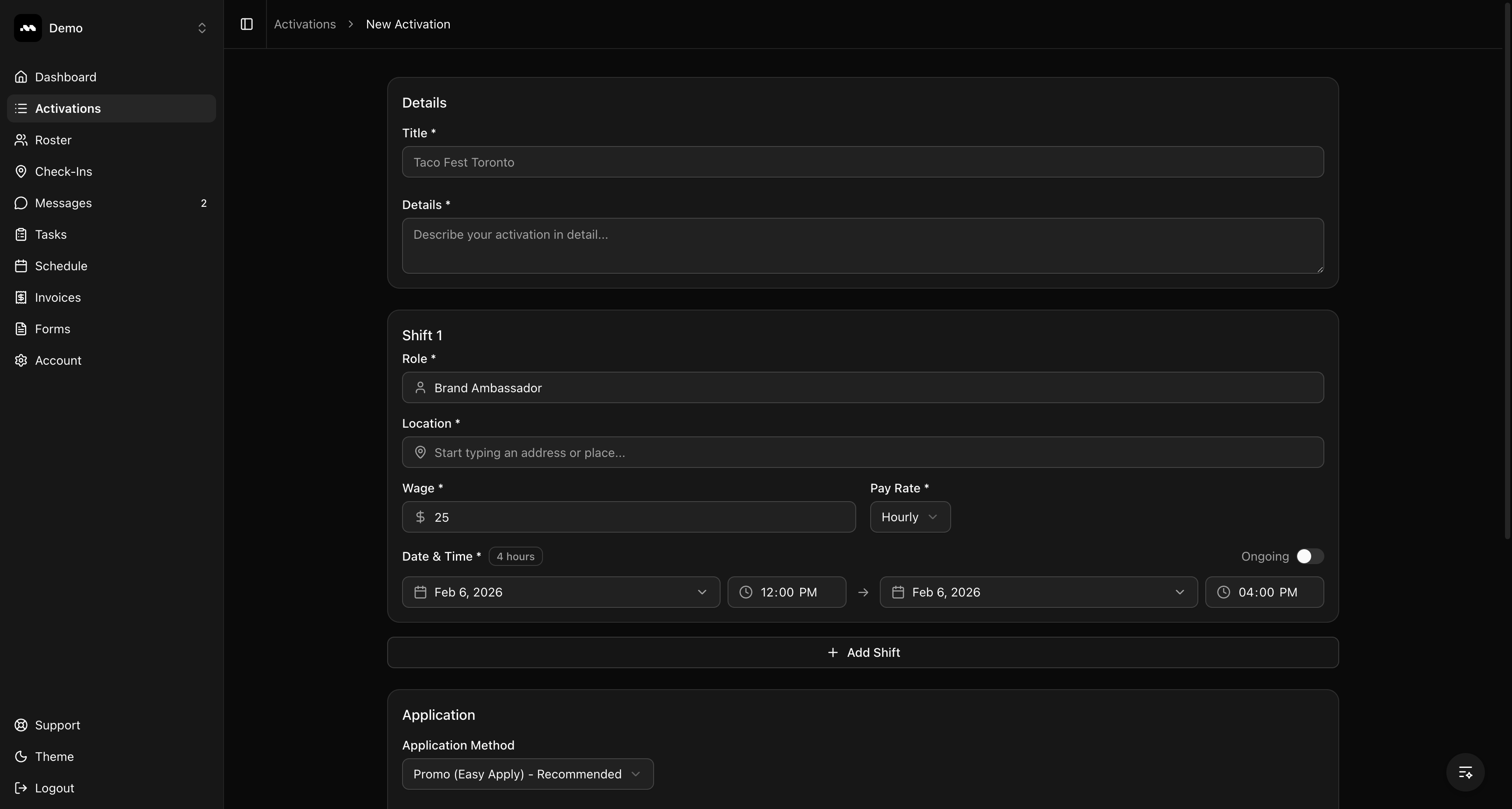
4
Add your content
Fill in the title and a clear description of the opportunity. Be specific about what the role involves so applicants know what to expect.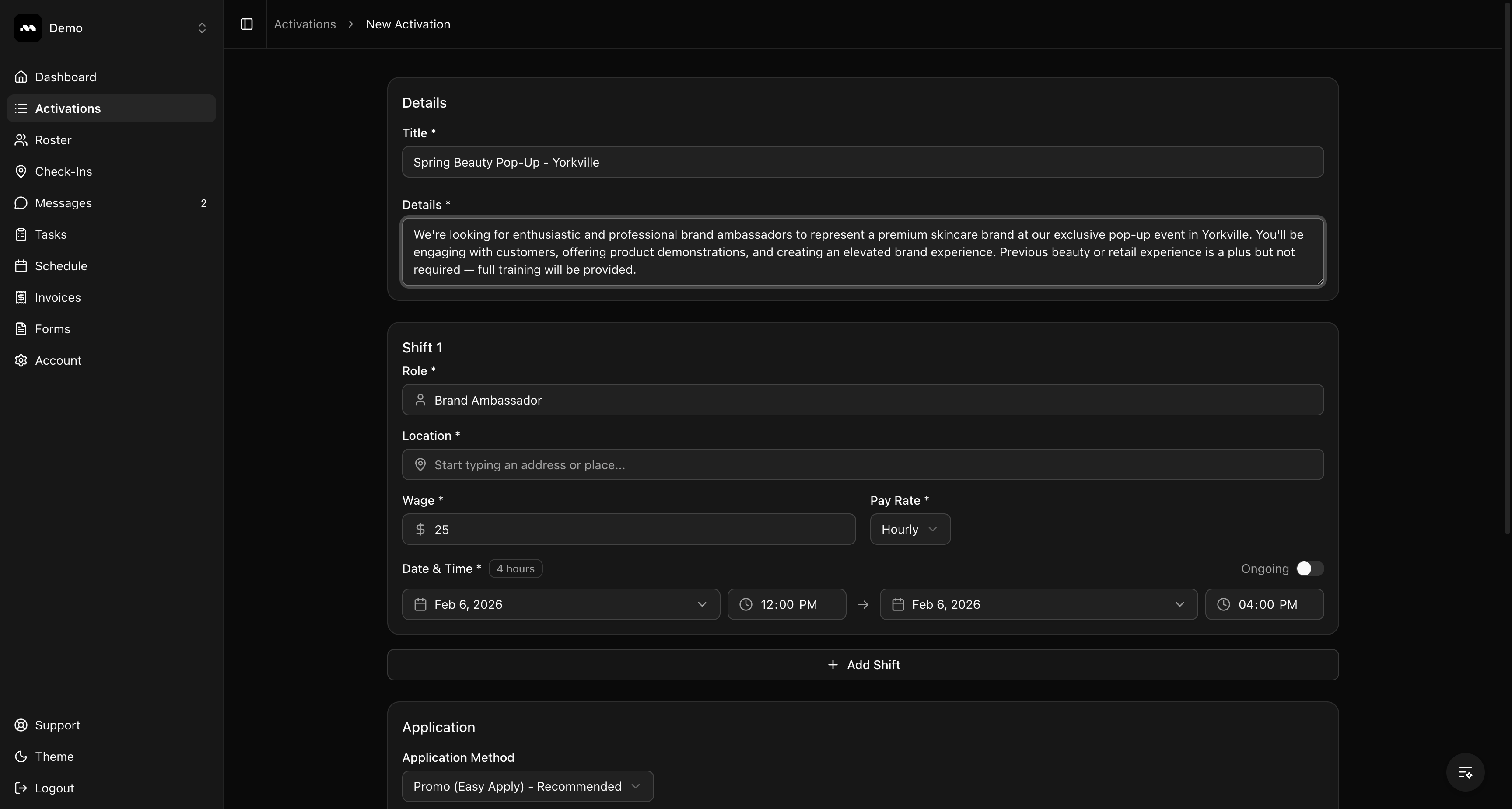
5
Configure the shift
Each activation needs at least one shift. Fill in the shift details: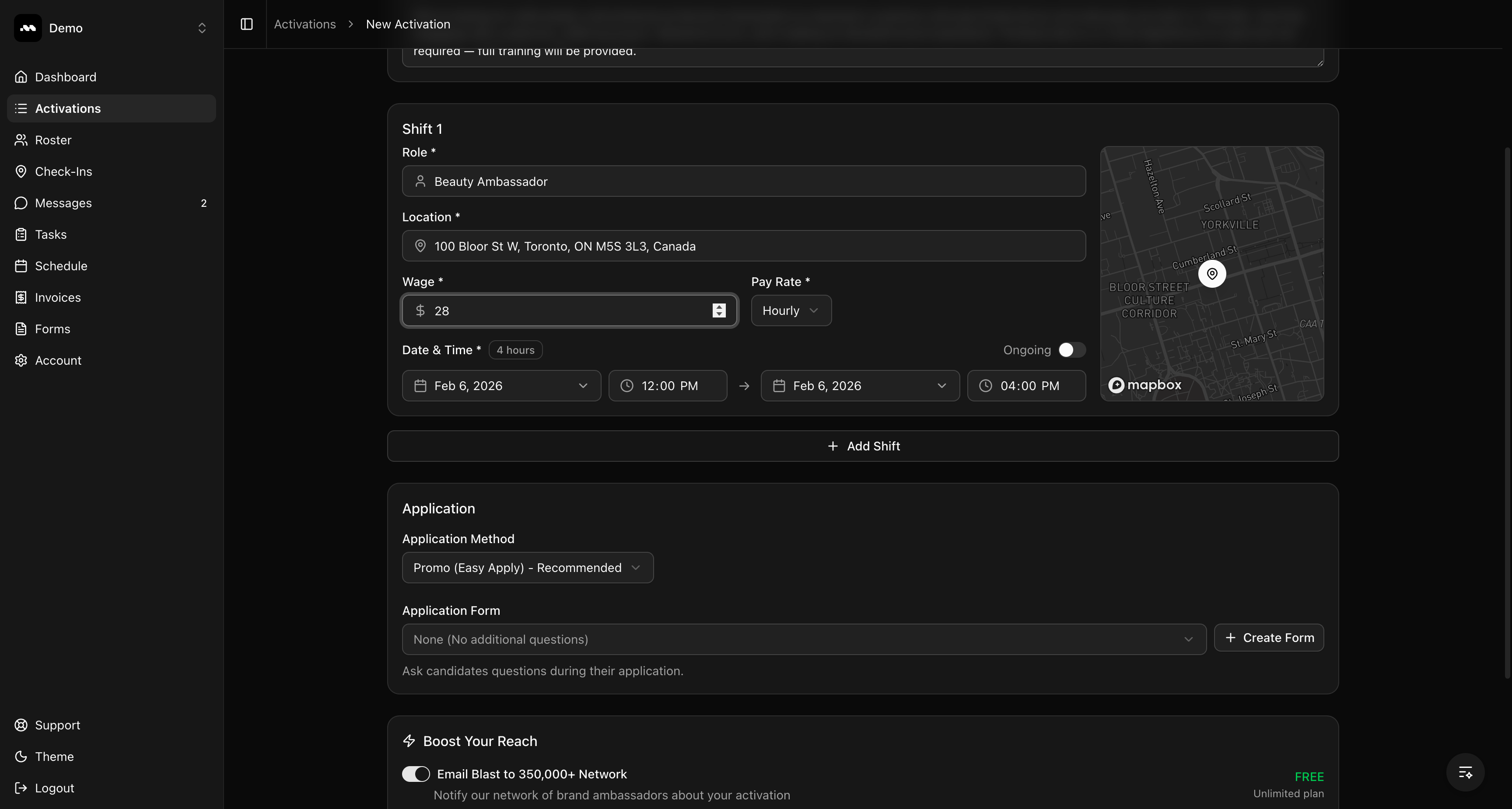
- Role — The job title for this shift (e.g., “Beauty Ambassador”, “Sampling Specialist”)
- Location — Start typing an address and select from the suggestions. A map preview will confirm the location.
- Wage — The pay amount for this shift
- Pay Rate — Choose between Hourly, Daily, Flat, or Per Visit
- Date & Time — Set the start and end date/time for the shift. Toggle Ongoing if there’s no fixed end date.
6
Choose the application method
Application Method — Select how candidates apply: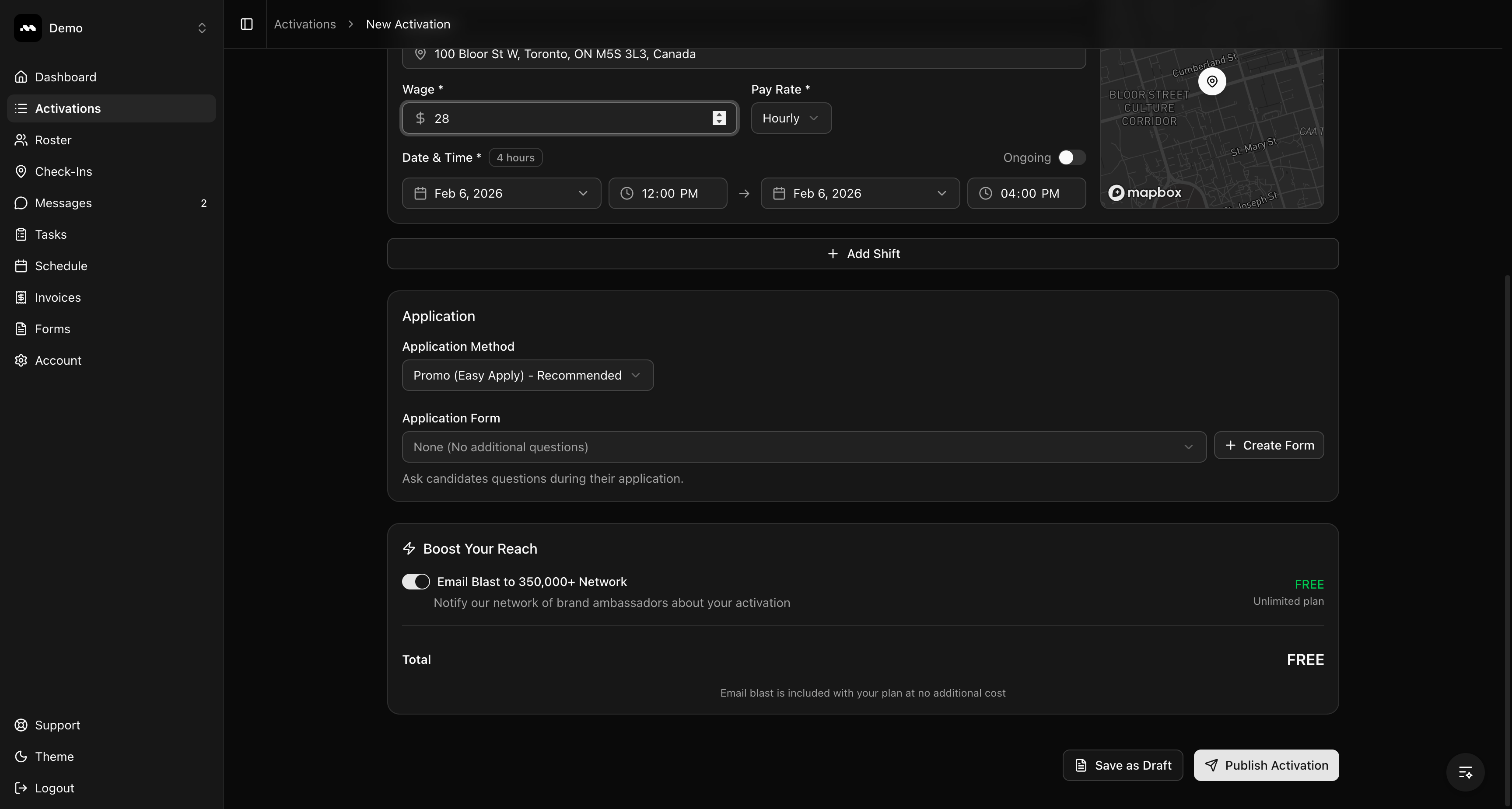
- Promo (Easy Apply) — Candidates apply directly through the platform. You can optionally attach a custom application form with additional questions.
- Email — Candidates apply via email to an address you specify.
- Link — Candidates are directed to an external application URL.
7
Activation published
After publishing, you’ll be redirected to the Activations list. Your new activation appears at the top with a Published badge. If you enabled the email blast, you’ll also see a Boosted badge.Brand ambassadors can now find and apply to your activation.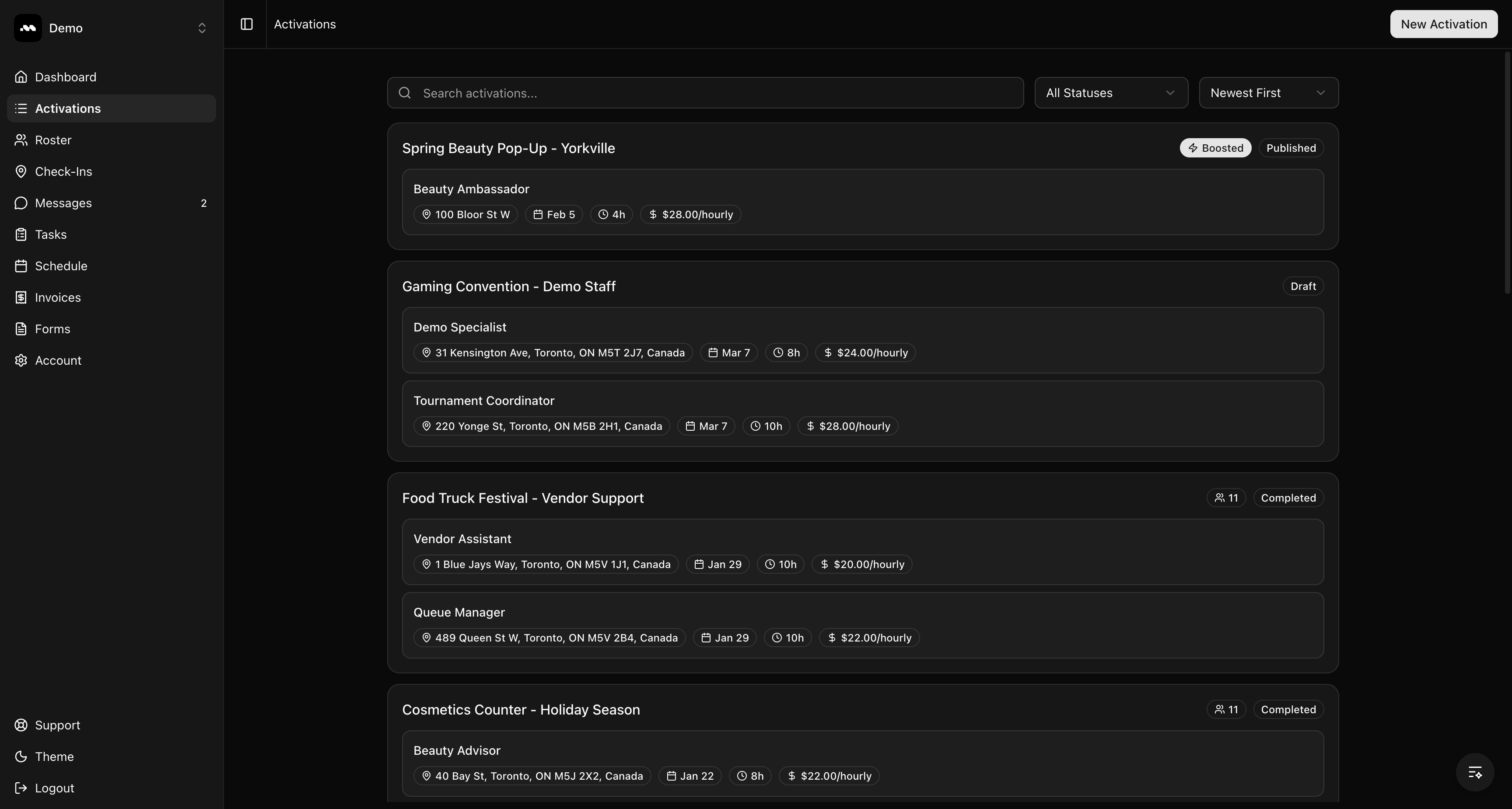
Tips
Use Save as Draft if you’re not ready to publish yet. You can edit and publish drafts later from the activation detail page.